Dear Students, Faculty, and Staff,
We are excited to announce that the Spring Edition of the “Yida Ding” Workbench (WMU Dingtalk) will officially launch on April 18 (evening)!
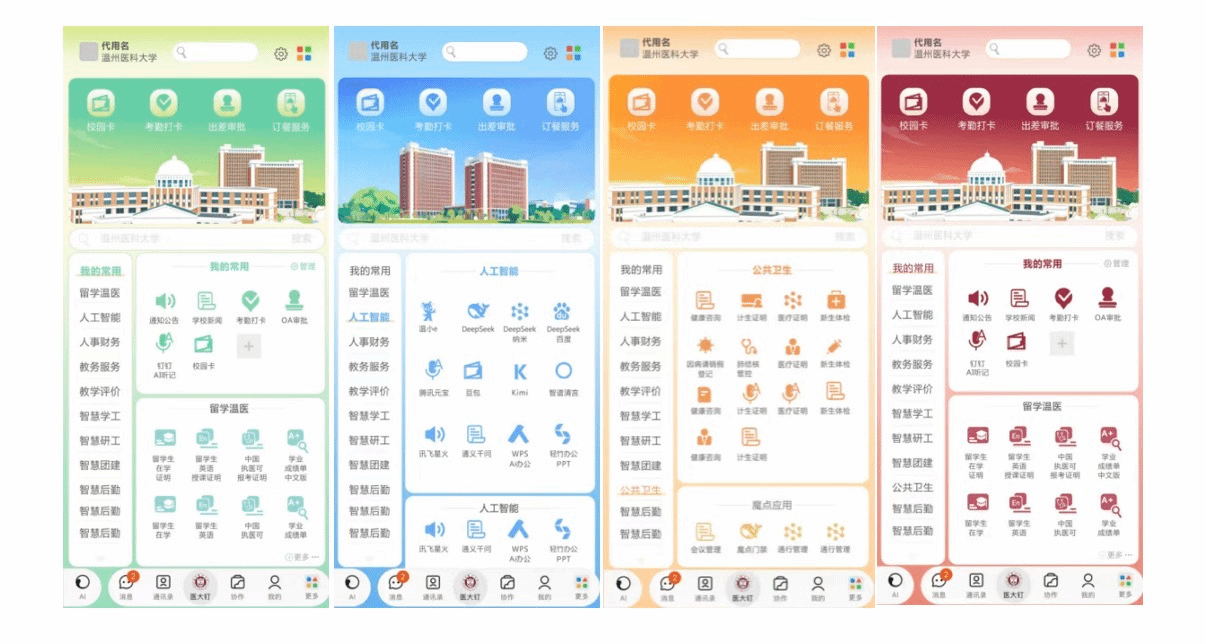
1. Spring Refresh:A Brand-New Visual Design
To create a more pleasant and efficient digital campus experience, the new version introduces a refreshed seasonal interface.
New Spring Theme Color
A soothing green color scheme, softer on the eyes and more refreshing for daily use.
Optimized Icons
More colorful and distinguishable icons to help you locate apps faster.
Four-Season Theme Plan
Spring is just the beginning—Summer, Autumn, and Winter themes are coming soon.
2. Smarter Interface: Easier, Smoother, More User-Friendly
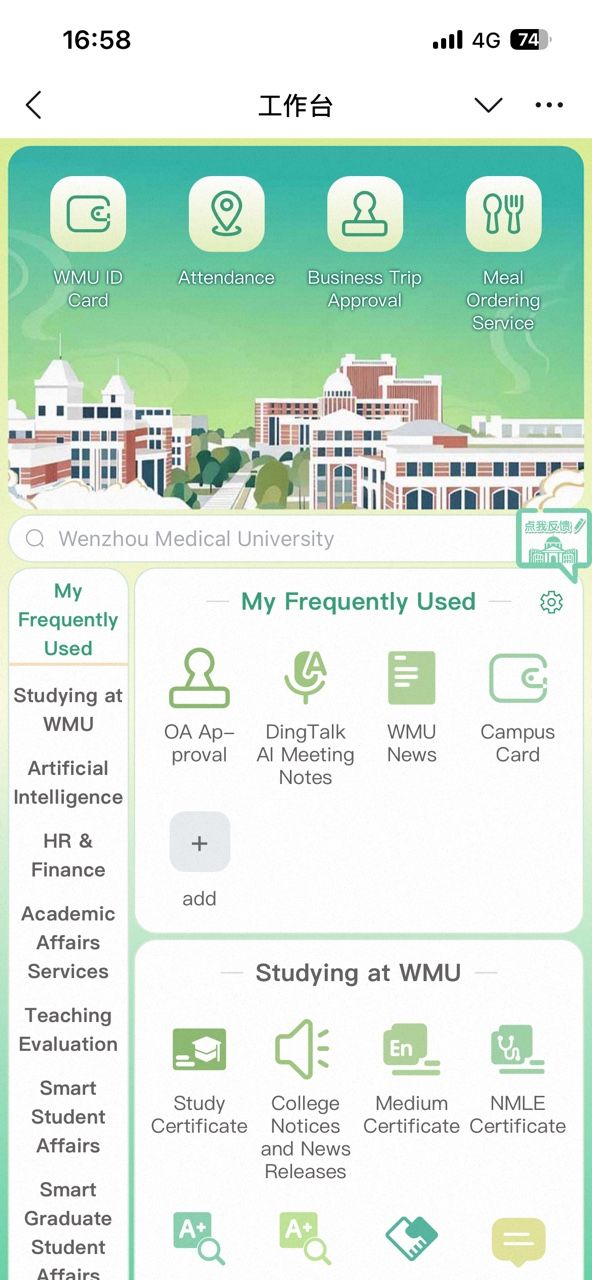
Based on user feedback from V1.0, we have made multiple improvements to enhance usability.
Cleaner Layout
“Notifications” and “Campus News” have been integrated into “My Favorites,” freeing up more display space.
Smoother Scrolling
The top banner automatically collapses while scrolling down, allowing clearer browsing.
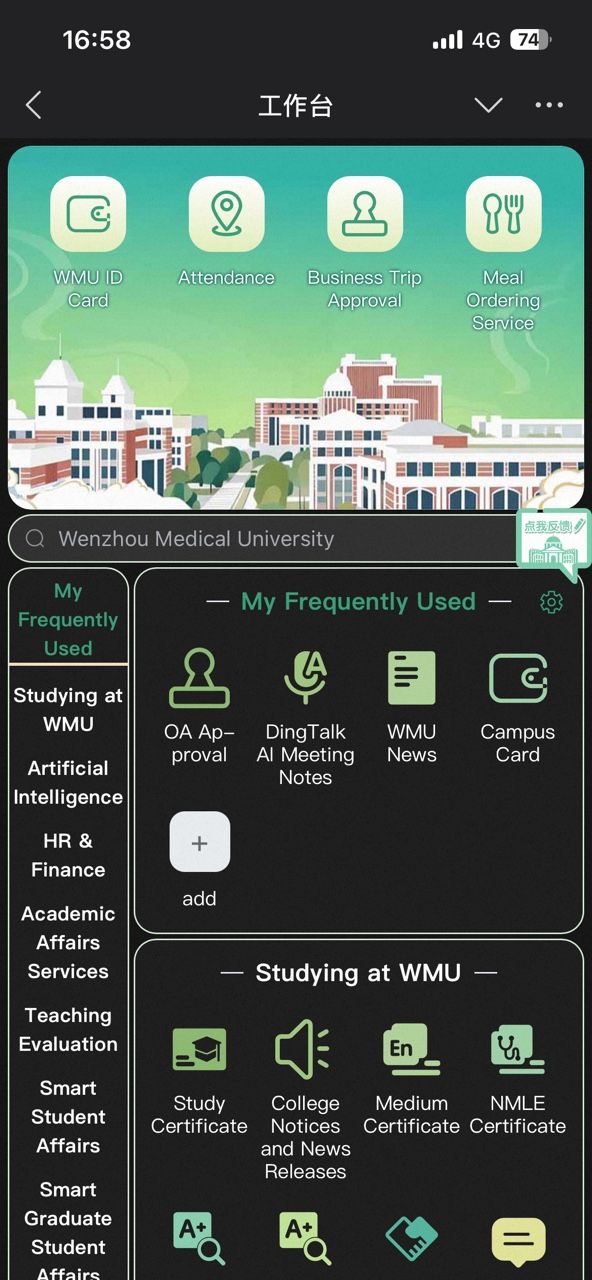
Auto Light/Dark Mode
Supports automatic switching for comfort in both daytime and nighttime use.
One-Click English Mode
Convenient for international users and bilingual campus needs.
Upcoming Feature: Theme Customization
Custom themes will soon be available, allowing users to personalize their workbench.
3. Desktop Version Upgrade: Your Vote Matters!
The PC version of “Yida Ding” is also entering a redesign phase. Three interface proposals are prepared, and we invite all faculty and students to vote and share suggestions.
Scan the QR code via Dingtalk to vote for your favorite design.
You can also submit suggestions via the “Feedback” in the new workbench.
Valuable suggestions may receive a customized gift from the Information Technology Center.

Launch Time
April 18 (Evening)
Thank you for growing with “Yida Ding”!
Let’s build a smarter, smoother, and more beautiful digital campus together.
Stay tuned!