
Tel:+8657786689830
Email:itc-self@wmu.edu.cn
The China Education and Research Network Federation Authentication and Resource Sharing Infrastructure (CARSI) allows teachers and students to freely access Chinese and foreign databases purchased by our schools anytime and anywhere, without the need for a VPN. It is safe and convenient! Praised by teachers and students as 'an essential tool for home-based research and a magic tool for resource access.'
As of now, our school's CARSI resources total 27, including Chinese databases such as CNKI, Wanfang, and dissertation databases; as well as foreign language databases like Web of Science, Springer, and Nature.
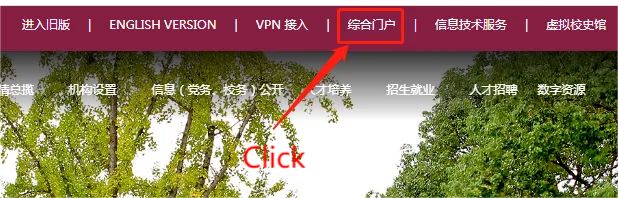
1. Use unified identity authentication to log in to the 'Integrated Portal'.
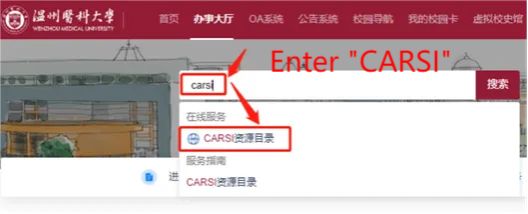
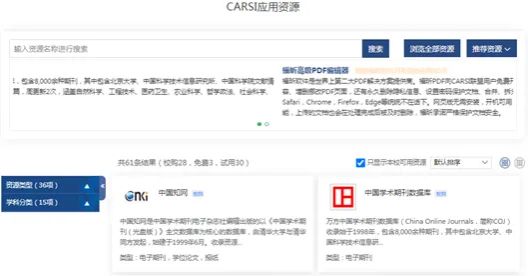
2. In the search box of the 'Service Hall', search for 'carsi' and click on 'CARSI Resource Directory'.
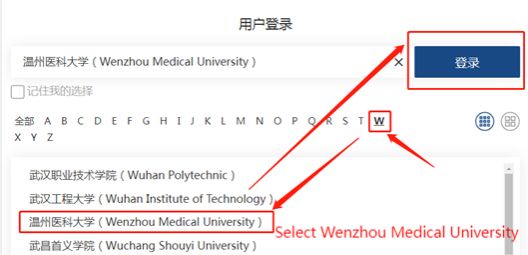
3. Click "W", select "Wenzhou Medical University", and click "Login".
4. Select 'Accept'.
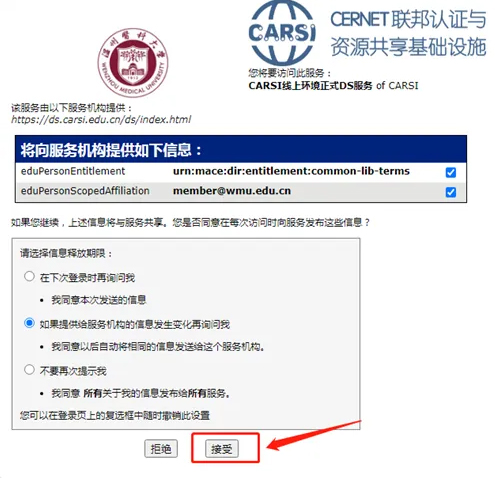
5. Click on each resource, and continue to select 'Accept' under 'Information Release' to access various resources in the backend and search for academic papers and literature.
1. Open https://www.carsi.edu.cn/ and click on 'User Login' in the top right corner.
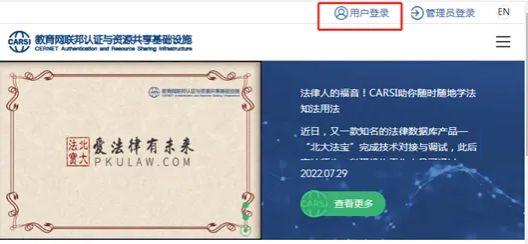
2. The other steps are the same as above.
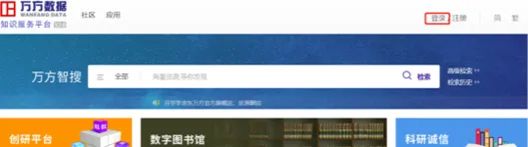
1. Enter the website: https://fsso.wanfangdata.com.cn/ and click "Login" at the top right corner of the page.
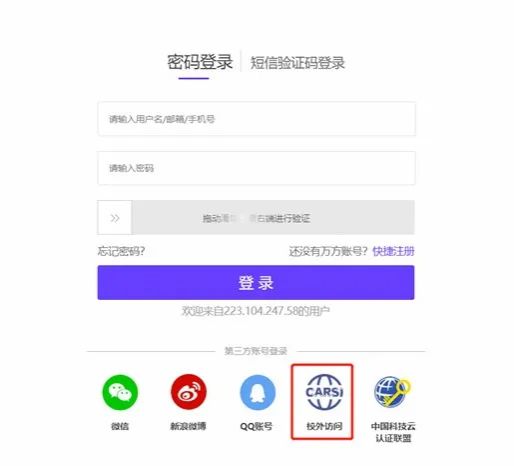
2. Then select CARSI Off-campus Access.
3. Enter "Wenzhou Medical University" in the institution name field, and then click "Go".
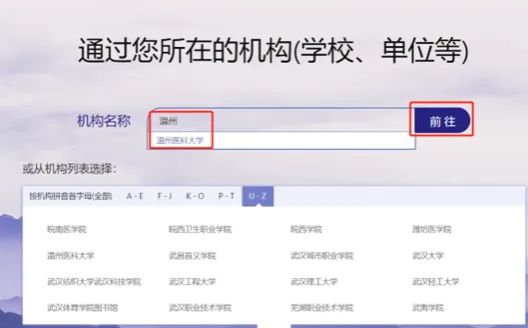
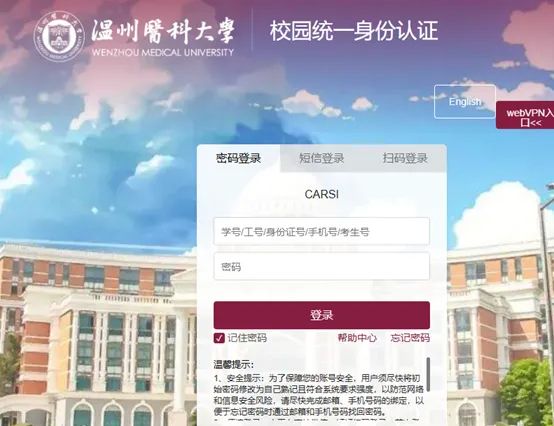
4. You will be redirected to the "Unified Identity Authentication" login page, where you should enter your unified authentication account and password.
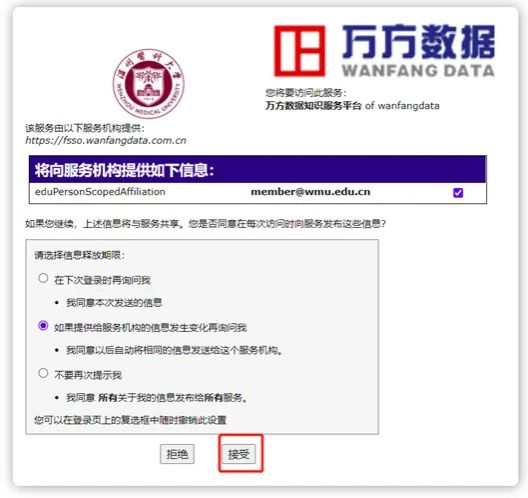
5. Under "Information Release," select "Agree."
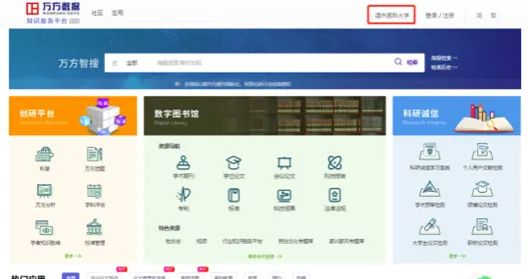
6. After successfully logging in, "Wenzhou Medical University" will be displayed in the top right corner.
7. If you want to learn about other resource login methods, you can refer to the link: https://www.carsi.edu.cn/SPlist.html

Copyright 2025 © Information Technology Center of Wenzhou Medical University

