
Tel:+8657786689830
Email:itc-self@wmu.edu.cn
Campus Card Collection Guide The "Campus Card" of Wenzhou Medical University is a unified campus card issued by the school, which is a carrier for teachers and students to consume and identify themselves on campus. Currently, it has opened multiple functions such as cafeteria dining, offline supermarket shopping on campus, online supermarket shopping, book borrowing, and access control.
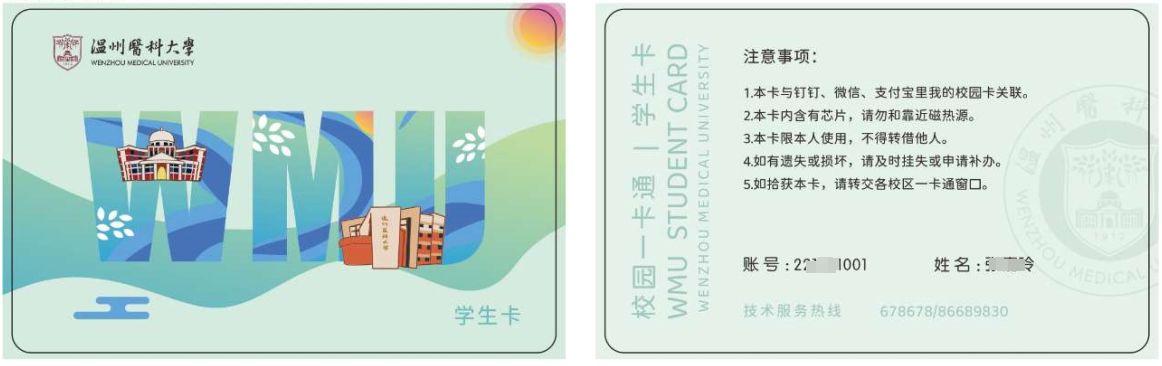
Physical card collection method The new student physical card is issued by the school officials and will be collected uniformly when new students register for enrollment. Virtual card collection method
WMU DING
Access: Open DingTalk on your phone, select "My Campus Card" in "All Apps" to enter the campus card homepage.
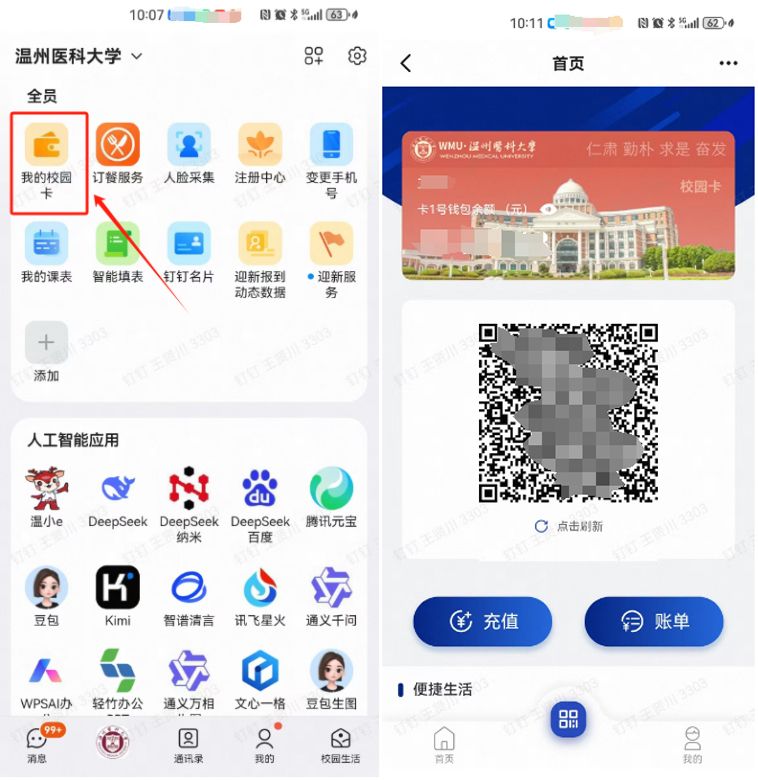
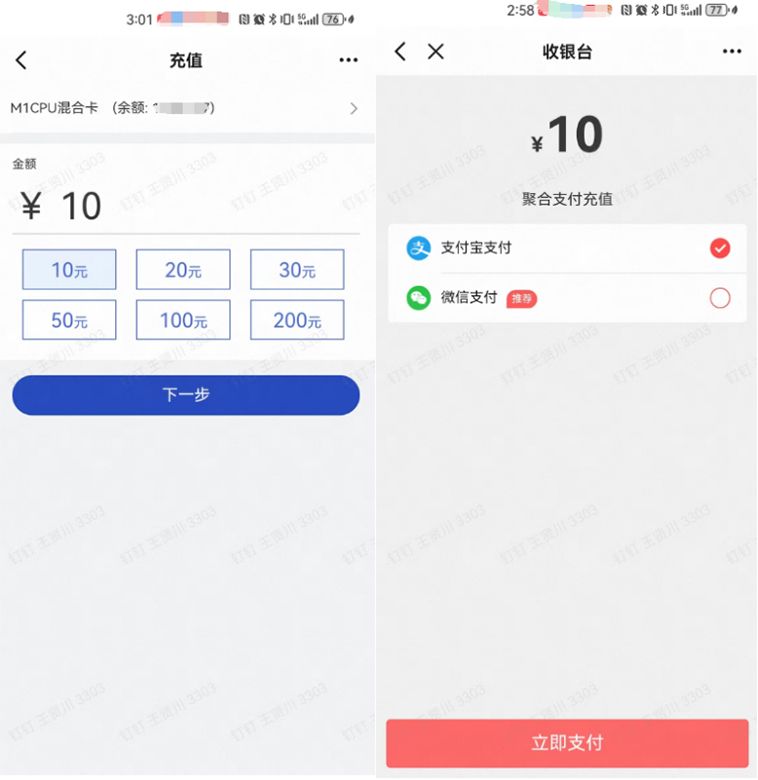
Recharging: Go to "My Campus Card" homepage, tap "Recharge", enter the amount, click "Next" → "Pay Now", choose WeChat/Alipay, enter the payment password to finish.
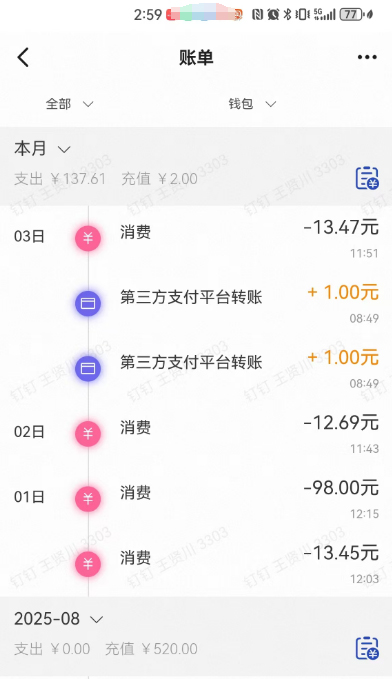
Query: Access "My Campus Card" homepage, click "Bill" to check transaction details.
WMU WeChat Campus
Access :
1. Open the WeChat app, tap "Contacts" → "My Businesses", and select "Wenzhou Medical University".
2. Choose "WMU Micro Campus" for authentication and login. Once you enter the main interface of the micro campus, the campus card function will be displayed at the top of the main interface
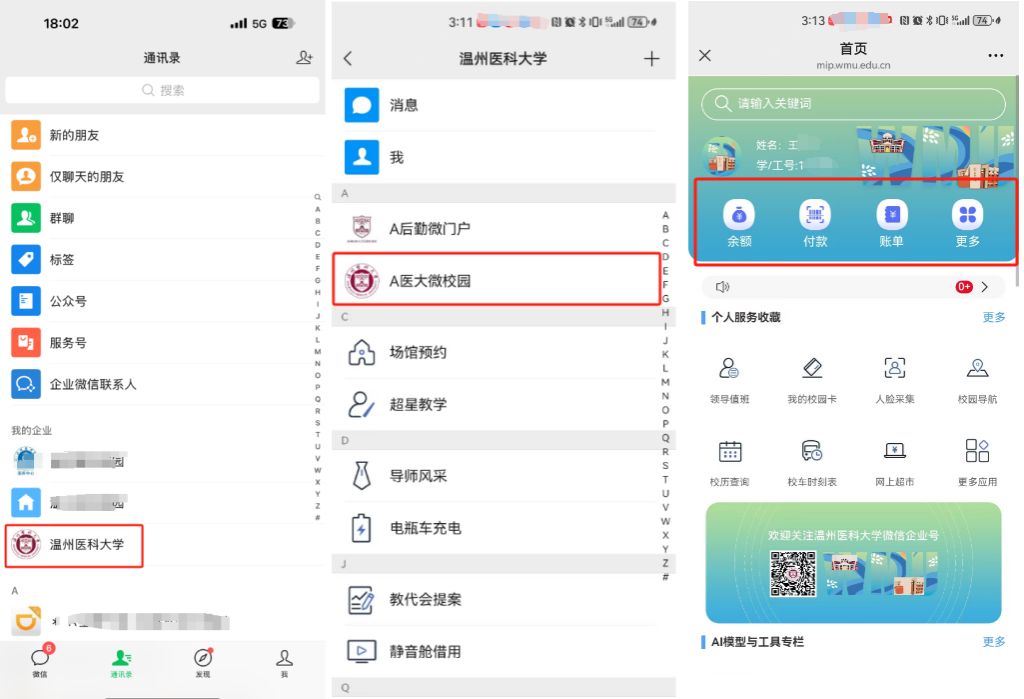
Payment: Click on "Payment"
Recharge: Click "More", the operation steps are the same as DingTalk
Query: Click "Balance" to check the current balance, click "Bill" to check consumption records
Alipay
1. First-time Alipay virtual campus card users: Scan the QR code below to get the card.
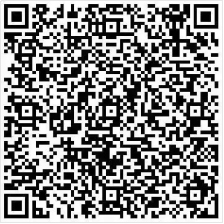
Alipay Campus Card Collect QR code
2. Tap "Agree and Get Card Package" to confirm collection. (Note: Only available for users with Chinese Mainland ID cards.)
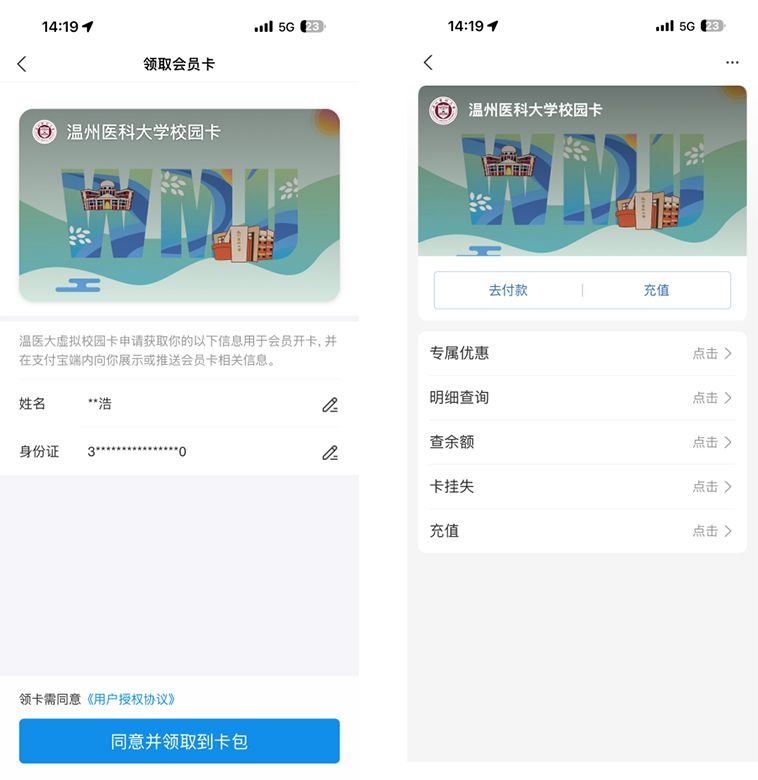
3. After successful collection, find "Wenzhou Medical University Campus Card" in Alipay's Card Package.
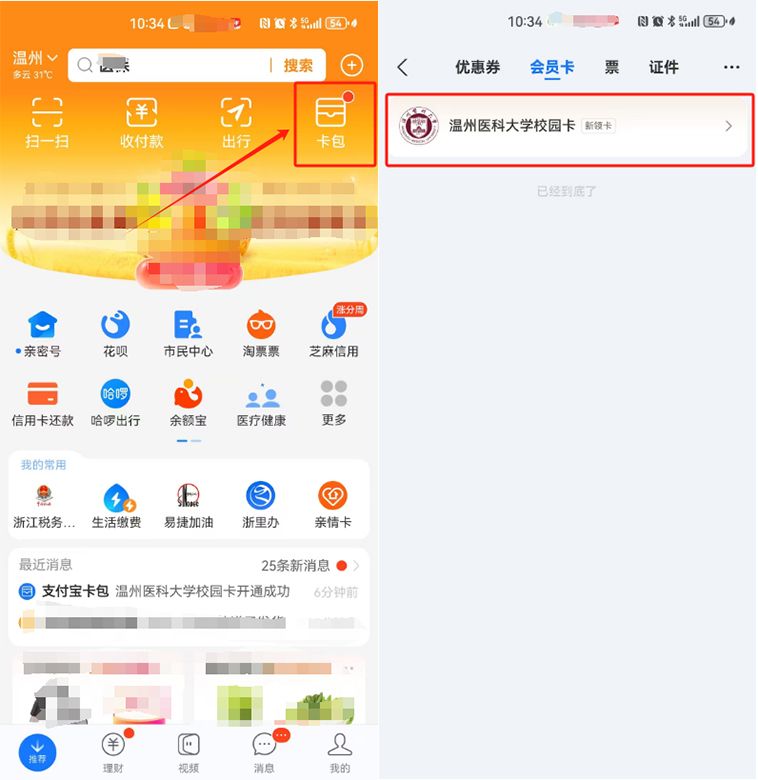
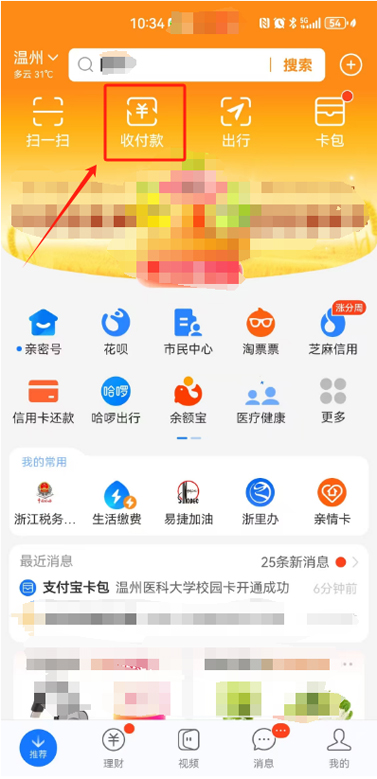
4.To pay: On Alipay’s home screen, tap "Collection & Payment", then scan the QR code on campus payment terminals. (Note: The payment method may show "Bank Card", but it actually uses the campus card.)
Campus Card Window Service Time
01 Chashan Campus
1. Tongde Building Window
Weekdays (Mon, Wed, Fri) 8:00-11:30 AM 13:30-16:30 PM
Note: Only non-cash services available after 15:30.
2.1F Window, No.3 Canteen
Weekdays 8:00 AM - 14:30 PM
02 Xueyuan Road Campus
Cafeteria Window
Weekdays 8:10-13:00 AM ,14:00-15:00 PM
03 Binhai Campus
Cafeteria Window
Weekdays (Tue, Thu) 10:00-11:30 AM ,13:30-16:00 PM
Special Notes:On statutory holidays: On-site service windows closed.Winter & summer vacation hours: To be notified separately.

Copyright 2025 © Information Technology Center of Wenzhou Medical University

