How to learn SPOC by certifying school cloud
for foreign students on the China University MOOC Platform
For foreign students, the general steps to learn SPOC through the certified school cloud are as follows:
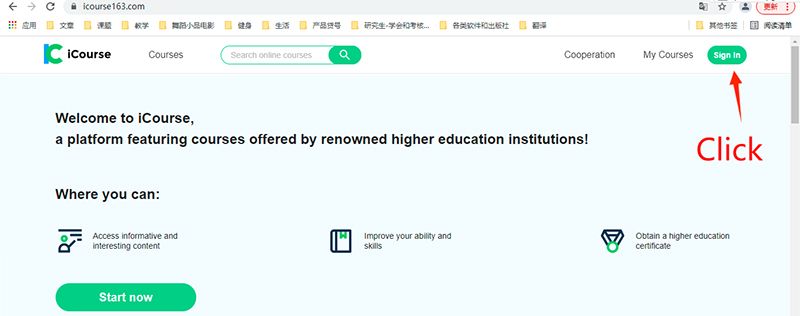
Steps1.Open the website: https://www.icourse163.com
Steps2.Using the original google account to sign in (see the black arrow).
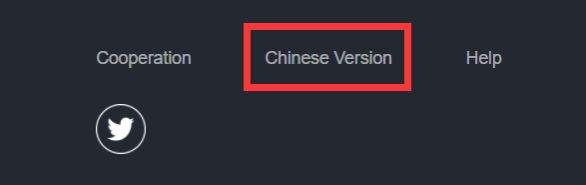
Steps3.Click Chinese version at lower right corner and enter the Chinese version.
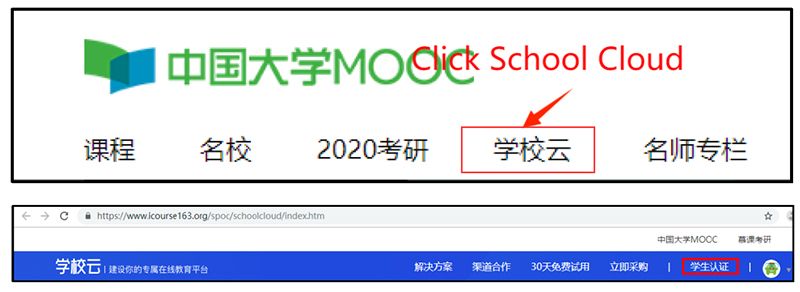
Steps4. Once enter, click school cloud (学校云, seen red frame) in the upper right corner of the Chinese University MOOC (中国大学MOOC) website to identify your authentication (学生认证 see the next red frame).
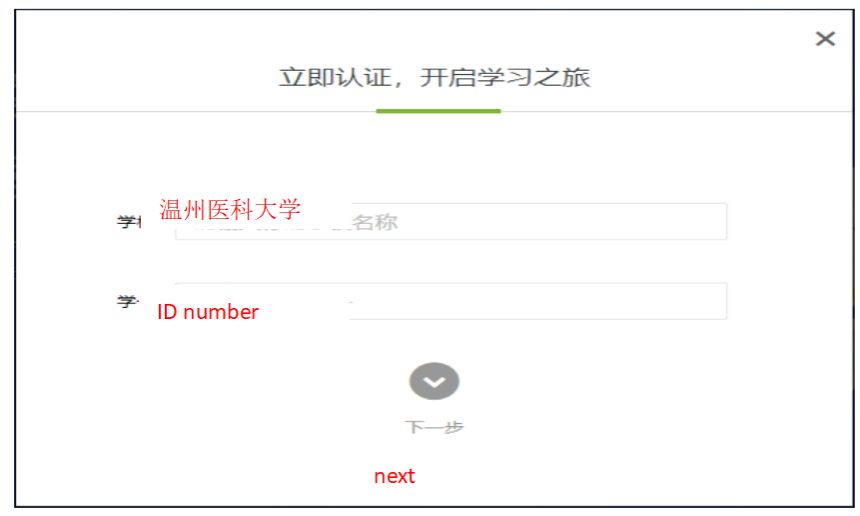
Steps5. Type school name (温州医科大学) in school name, and ID number, and then click next.
Steps6. Type your name and passport number to finish your identification.
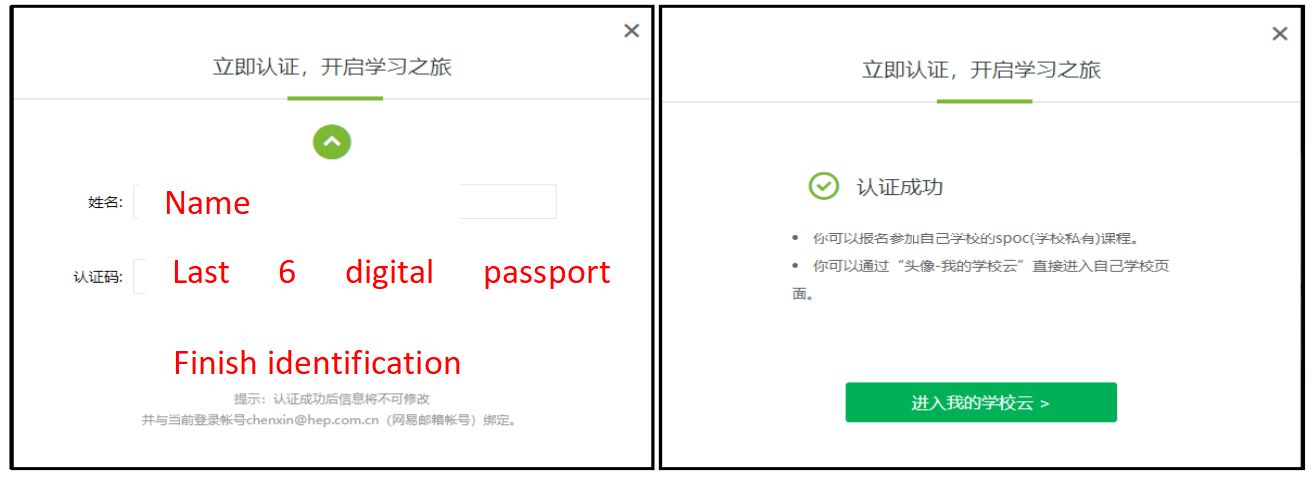
Steps7. Having finished, the following page will appear. Once you can the sentence “你已认证为本校学生(see the red frame)”, you succeed in finishing your identification.
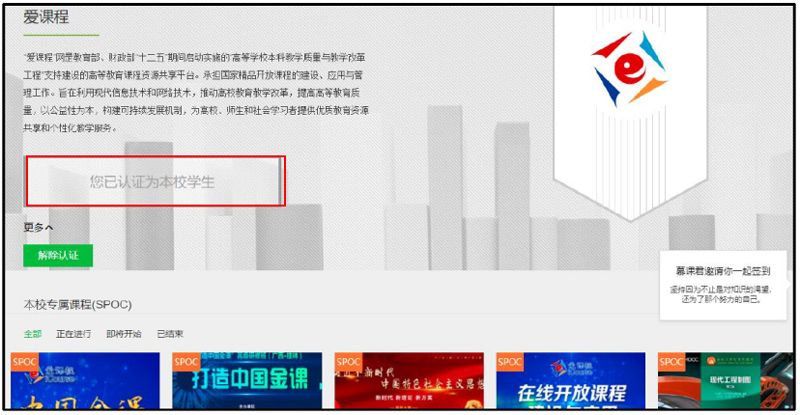
Steps8. Having succeeded your identification, please click the SPOC website and enter study.