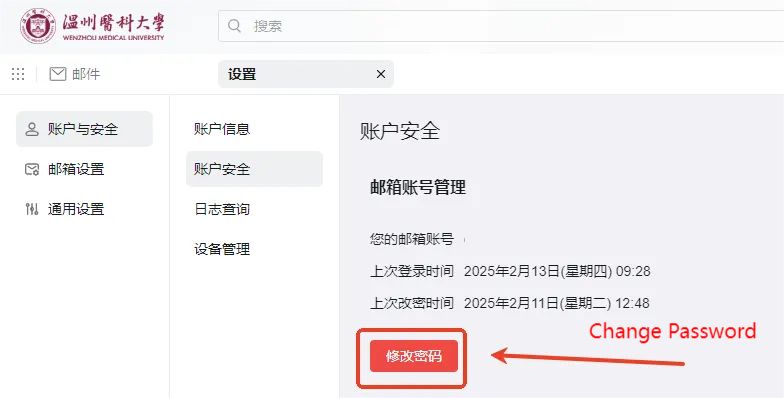
Email application
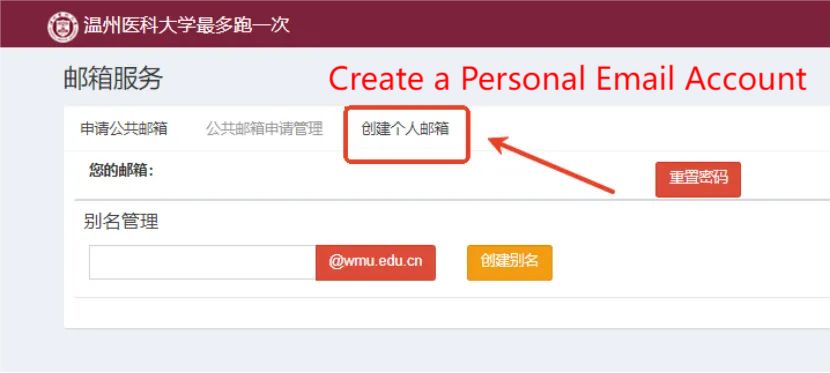
Personal Email (Faculty/Grad Students) Application
Log in to the school homepage → Click "Integrated Portal" & log in with your unified identity account → Search for "Email Service" → Fill in info in "Create Personal Email" to finish registration
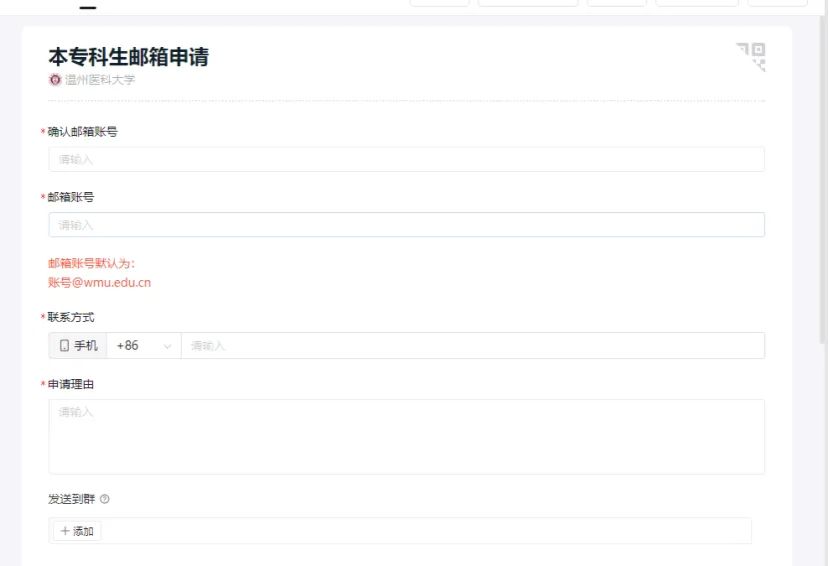
Personal Email (Undergraduate Students) Application
DingTalk Workstation → Search "Undergrad Email Application" → Fill info & submit
Public Email Application
Log in to school homepage → Click "Comprehensive Portal" & log in with unified identity account → Search "Mailbox Service" → Apply for public email
Bind DingTalk to School Email
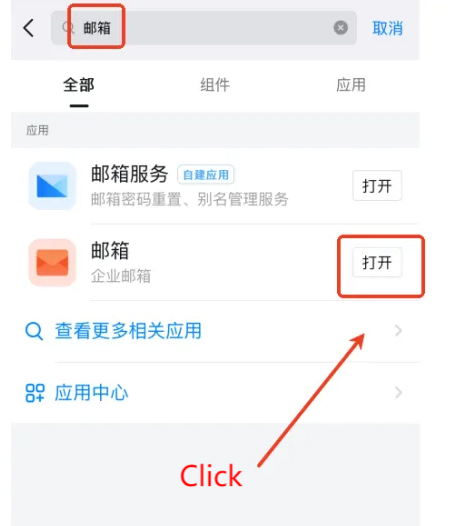
To log in to the email system via DingTalk QR code, first bind your email to DingTalk.Setup: Open DingTalk (mobile) → Workspace → Search "Mailbox" → Tap "Settings" → Add other personal email → Select "Alimail" → Enter account & password
After setup, you can log in via QR code, receive/check/send emails, and manage your school email inbox on DingTalk.
Bind WeChat to School Email
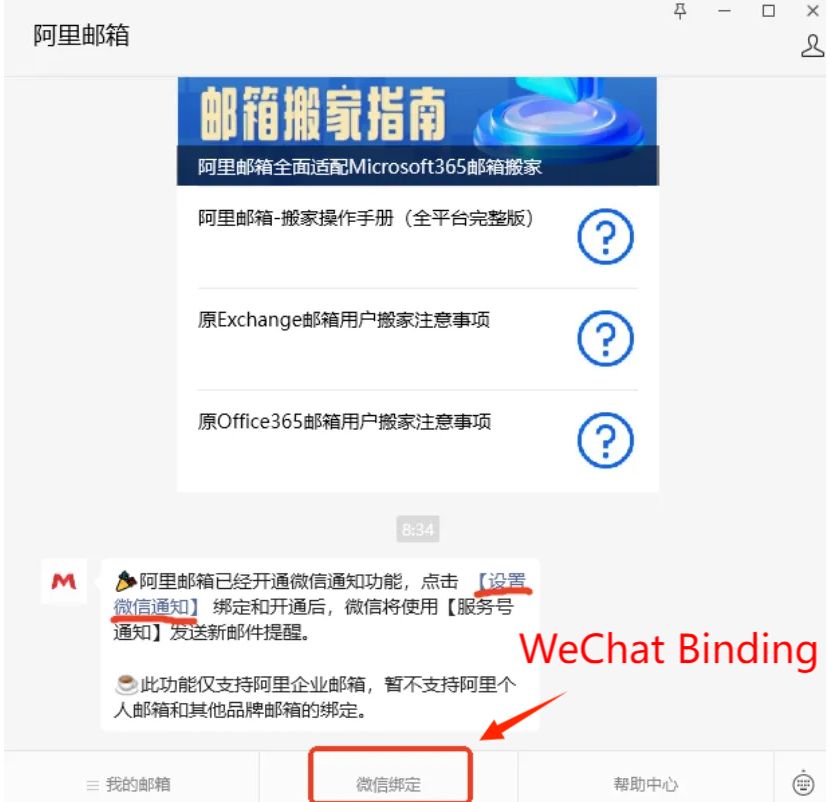
Search & follow "Alimail" official account on WeChat → Tap "WeChat Bind" → Tap "Set WeChat Notifications" in the pop-up → Enter account & password
Once bound, WeChat will auto-send reminders when you receive new emails.
Modify Phone Number
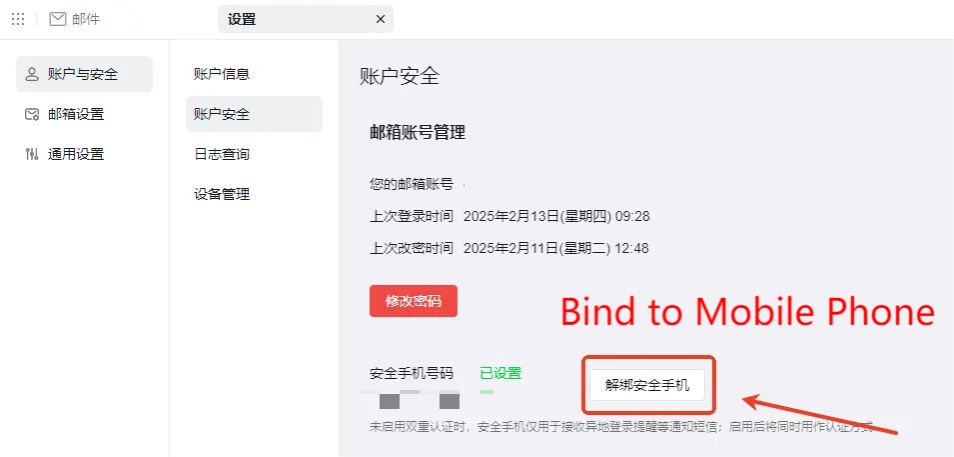
Tap "Settings" (top-right) → Select "More Settings" → Unbind security phone in "Account Security", then rere-bind.
Forget Password
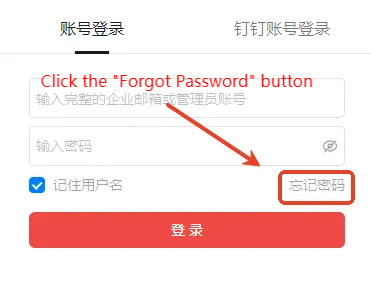
On login page → Click "Forgot Password" → Reset via phone verification.
Change password
Tap "Settings" (top-right) → Select "More Settings" → Change in "Account Security".
Modify Phone Number